
If you are receiving the following error message, please follow the steps below to resolve this issue.
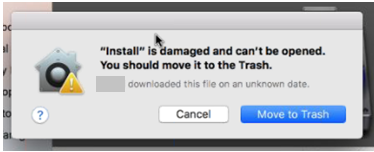
- Delete/Move to Trash any downloaded files for the software you are trying to install
- Click the Apple icon to go to your "System Preferences"
- Go to "Security & Privacy"
- Go to the "General" tab
- Under, "Allow Apps downloaded from:" choose, "Anywhere"
After you have completed this, try downloading the software program(s) to see if it allows you to continue with the download and installation.
0 Comments