
Installation for Windows 8 or 10
Some of our programs were created prior to the release of Windows 8 or 10. If you are experiencing problems when you attempt to load the program, please follow the instructions below.
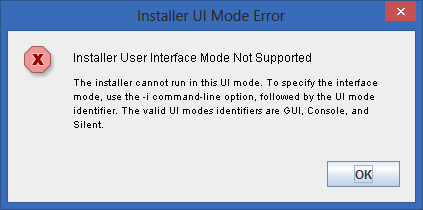
Error received when installing on a Windows 8 or 10 machine
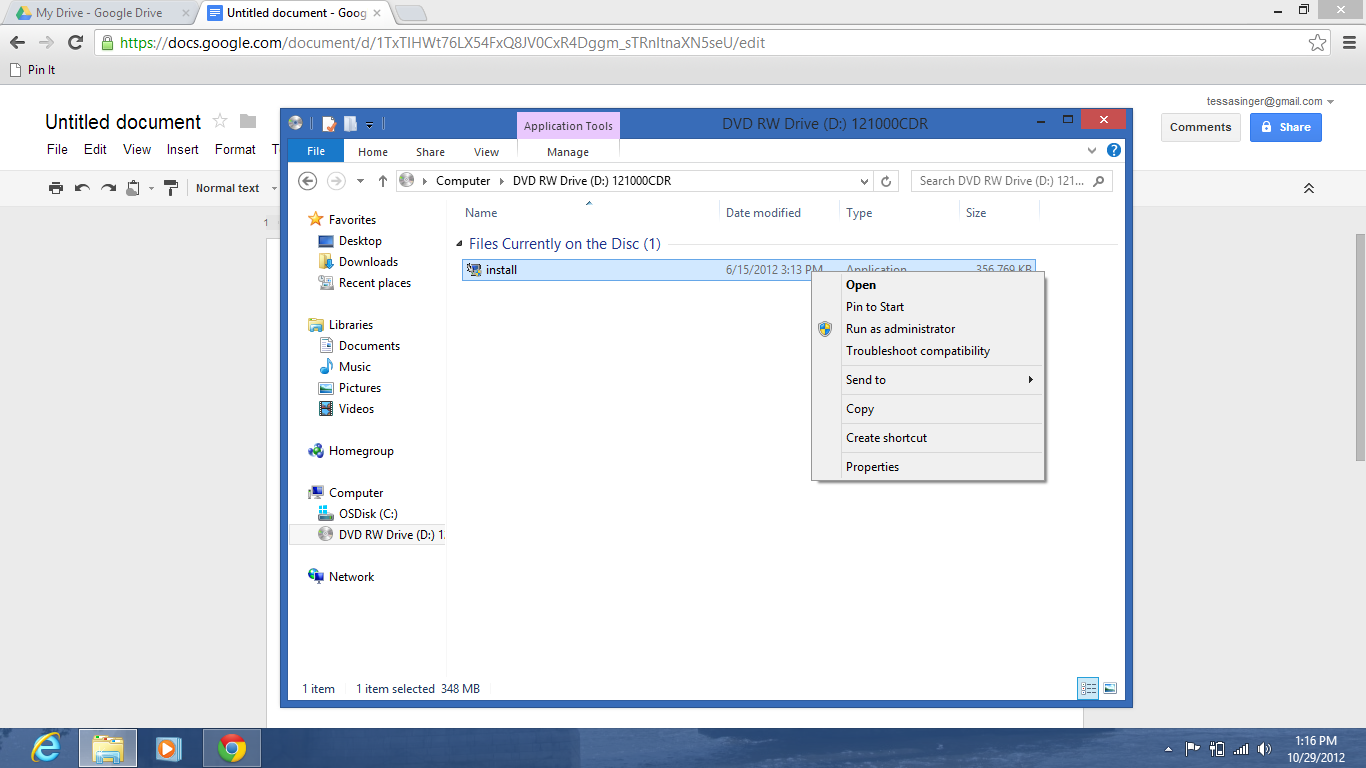
Right-click on the installation file and select properties.
Click on the Compatibility tab.
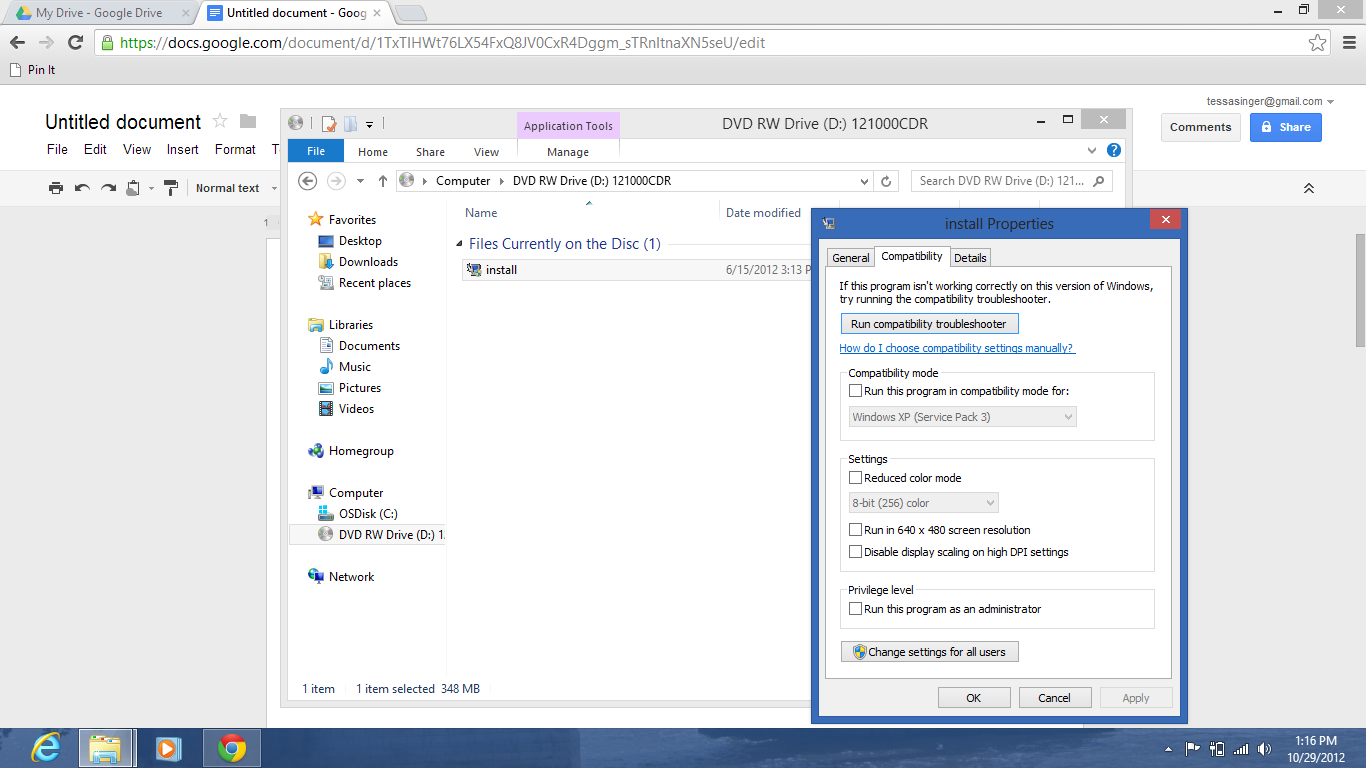
Check the box under Compatibility Mode for Run the program in compatibility mode for:
Then select Windows 7 from the dropdown (if that doesn’t work, try XP (Service Pack 2).
0 Comments